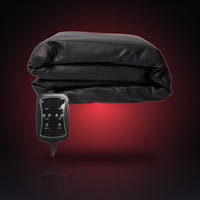
Sauna Blanket Not Heating Up? A Troubleshooting and Care Checklist
Written October 2026. Prices and specifications checked against the live product pages on October 16, 2026.
Quick answer
If a sauna blanket is not heating, check the simple things first, in this order: the power cable is fully in a working wall outlet, the controller cable is seated in the jack on the blanket, the controller is switched on and a time is set, and you have allowed enough warm up. The HL500 manual says it takes about 15 minutes to reach peak temperature, longer in winter. If you see damage, smell something odd, hear unusual noises or the controller is wet, unplug the blanket and stop using it. Never open, modify or repair it yourself. Contact AWA support instead.
Before you troubleshoot: three safety rules from the manuals
- Unplug first. Always unplug before you inspect, move or clean the blanket, and never plug or unplug with wet hands.
- Stop on any sign of damage. Do not use the blanket if the cord is frayed or worn, the controller or blanket looks damaged, or the device has been exposed to water.
- Do not open or repair it. The HL300 manual says not to modify, disassemble or repair the device. If a check below does not fix the problem, stop and contact us.
The checklist: blanket not heating up
Work through these in order. Most fixes are in the first four.
- Power cable and outlet. Push the plug fully into a standard wall outlet. The HL300 manual describes plugging into a standard wall outlet, so that is the simplest test. Try a different outlet that you know works. Use only the power cable that came with the blanket.
- Controller cable. On the HL300 the manual says to plug the controller connector into the jack at the bottom of the blanket. Check it is seated all the way, with the power unplugged first.
- Controller is on. On the HL500, connecting power makes the controller beep and a red dot above ON/OFF light up. Press ON/OFF to clear the dot, set the level and time, then press START. A dot by LEVEL and TIME that flickers means it is heating up. On the HL300, press On/Off, then set TEMP and TIME.
- A time is set. The blanket heats only while a session is running. If the timer has finished it turns off (HL300) or returns to the power on state (HL500). Press the power button and set a new session if you want to continue.
- Warm up time. The HL500 manual says reaching peak temperature takes about 15 minutes, longer in winter. Start the blanket, then get in once it feels warm.
- Setting is high enough. A low setting will feel only gently warm. Raise it a step if your manual allows and you are comfortable doing so, rather than jumping to the top.
- Surface and layers. The blanket should lie flat on a sturdy, heat resistant surface. Do not operate it under a blanket or pillow, and do not fold it while it is on.
- Room conditions. A cold room slows warm up. Give it more time before you assume a fault.
When to stop and unplug at once
These come straight from the manuals. If any of them happens, switch the blanket off, unplug it and do not use it until AWA has helped you.
| Sign | What the manual says |
|---|---|
| Unusual noises | Turn off and unplug immediately |
| Controller is wet or gives off an odor | Unplug it and do not use it |
| Power failure during a session | Unplug the device immediately |
| Cord is frayed, worn, cut, bent or tied | Do not use the blanket. Do not twist, stretch, bend or tie the cables |
| Blanket exposed to water or liquid spill | Do not use it. Keep water, liquids and steam away from the blanket, controller and cables |
| You feel unwell, dizzy or too hot | Lower the temperature or stop, get out and rest. If symptoms are serious, seek medical attention |
Care that avoids most problems
Cleaning and storage are where most wear starts. Always let the blanket cool for at least 30 minutes after unplugging before you clean, fold or store it. Folding it while still hot can damage it.
| Task | HL300 manual | HL500 manual |
|---|---|---|
| Cleaning | Wipe with a soft, damp cloth or an anti bacterial wipe. A small amount of mild soap on a damp cloth may be used if needed. No abrasive, corrosive, solvent or chemical cleaners | Use a soft cloth for regular cleaning after each use |
| Water | Never let water, other liquids or steam come into contact with the device. The controller is not waterproof | Do not use in a wet place. Keep it dry |
| Storage | Remove the power cable, fold the blanket and place it with the controller and cables in the carrying bag. Store in a cool, dry place, with nothing stacked on top | Store in a dry place and do not leave it for long periods in direct sunlight. Do not fold it or put heavy objects on it while it is running |
| Cables | Do not wrap the power cable tightly around the blanket or controller. Never drag or hang the device by its cables | Switch off and pull the plug when not in use for a long time |
| Sharp or hard objects | Keep pins, knives and needles away from the blanket, controller and cables | Avoid using the blanket next to sharp or hard objects that could wear it |
The HL300 manual says not to use the blanket directly on leather surfaces: cover them completely with a towel or blanket first. It also lists surfaces not to use it on, such as waterbeds, latex, plastic, memory foam, adjustable bed frames and bunk beds. Our general device care guide covers other AWA devices.
Warranty and support
The HL300 and HL500 each carry a 1 year warranty, and every AWA order has a 60 day return window with free US return shipping. If a check above does not fix the problem, or you see any of the stop signs, contact us through the contact page with your order number, the model, and a short description of what you saw. A photo of the controller display and the rating plate helps. Do not send the blanket anywhere or attempt a repair before we reply.
If the blanket heats but you want to understand the controller numbers, read Sauna Blanket Temperature and Timer Settings: What the Controller Numbers Mean, and for the full manual rules see Sauna Blanket Safety: The HL300 and HL500 Manual Rules, Explained.
Before you use any heat device: read the manual for your model and follow it. Ask a doctor first if you have a medical condition, take medications, are pregnant, or are sensitive to heat. This is general information, not medical advice.
Related guides
- Best infrared sauna blanket: how to choose
- Red light device care and storage: cleaning, cables and travel tips
- AWA HL300 infrared sauna blanket review
Device pages
Read the full page and label for each device before you use it: AWA HL300 sauna blanket and AWA HL500 sauna blanket. You can also browse the sauna blanket collection.
Frequently asked questions
Why is my sauna blanket not heating up?
Check the power cable and outlet, the controller cable in the jack on the blanket, that the controller is on with a session set, and that you have allowed warm up time. The HL500 manual says about 15 minutes to reach peak temperature, longer in winter. If anything looks damaged, unplug it and contact support.
Can I fix a sauna blanket myself?
No. The HL300 manual says not to modify, disassemble or repair the device. Stop using it, unplug it and contact AWA support.
How do I clean a sauna blanket?
Unplug it and let it cool for at least 30 minutes. For the HL300, wipe with a soft damp cloth or an anti bacterial wipe, using a little mild soap on a damp cloth if needed. For the HL500, use a soft cloth after each use. Never use abrasive, solvent or chemical cleaners, and keep water and steam away.
How should I store a sauna blanket?
Let it cool completely, unplug it, fold it and store it with the controller and cables in a cool, dry place away from direct sunlight, with nothing stacked on top. Do not wrap the cables tightly around the blanket or controller.
The controller got wet. What now?
Unplug it and do not use it. The HL300 manual says the controller is not waterproof and that a wet controller, or one giving off an odor, should be unplugged and not used. Contact AWA support.
How we create this guide
AWA sells red light therapy and infrared wellness devices. We write these guides to explain how devices work and how to choose, use and look after one. This is general information, not medical advice. Read each product page, label and manual. See our editorial standards.