How to Build Your Own Red Light Panel Comparison Chart
Published October 2026. Updated October 2026.
Quick answer
A useful comparison chart has one row per panel and the same columns for every row: wavelengths, irradiance at the same distances, listed size, form, power, what is in the box, warranty and returns. Add one calculated column, energy for a fixed time, so panels line up on the same footing. Leave a cell marked Not published rather than guessing. A filled example for the FX300 and FX500 is below.
Why build your own chart
Retail pages are built to sell, so they put different facts in different places. A chart you build yourself forces every panel to answer the same questions. It also shows gaps clearly. A blank cell is an honest answer: the seller has not told you.
You need a spreadsheet or a sheet of paper. Our AWA comparison page shows the idea for our own products, and the irradiance chart shows how published distance points look side by side.
Step 1: choose the columns
| Column | Where to find it | Why it is in the chart |
|---|---|---|
| Model and form | Title and listing photos | Stand, hanging or tabletop changes where it fits |
| Wavelengths | Spec list | Exact numbers such as 660nm and 850nm |
| Irradiance at 2, 6 and 12 inches | Spec table or seller reply | The only fair way to compare output |
| Listed size | Spec list | For fit. It does not show coverage |
| Power source and draw | Spec list | Corded, battery, actual draw in watts |
| In the box | Listing | Goggles, hooks, stand and remote change the real price |
| Warranty | Listing or policy page | Length and who handles claims |
| Returns | Policy page | Days, fees, who pays shipping |
| Regulatory wording | Listing and label | Quote it exactly. Do not paraphrase |
| Current price | Product page on the day you check | Prices change. Date your entry |
Step 2: fill in a real example
Here is the chart filled for two panels using the published AWA figures from our irradiance specs and the product pages. The last columns are calculated with J/cm² = mW/cm² x seconds / 1000 for 10 minutes (600 seconds). The energy values are arithmetic from the spec, not a recommended session.
| Item | FX300 | FX500 |
|---|---|---|
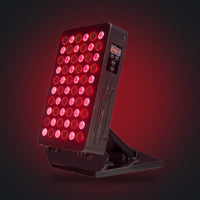
| Form | Hanging panel with rope | Foldable stand panel |
| Wavelengths | 660nm and 850nm | 660nm and 850nm, 1:1 ratio |
| Irradiance at 2 in (mW/cm²) | 145 | 220 |
| Irradiance at 6 in (mW/cm²) | 83.5 | 94 |
| Irradiance at 12 in (mW/cm²) | 43.3 | 73.8 |
| Energy at 6 in, 10 min (J/cm²) | 50.1 | 56.4 |
| Energy at 12 in, 10 min (J/cm²) | 26.0 | 44.3 |
| LED count | 60 LEDs (30 at 660nm, 30 at 850nm) | 60 LEDs (30 at 660nm, 30 at 850nm) |
| Power | Corded, AC 100 to 240V | Corded, AC 100 to 240V, 85W actual draw |
| In the box | Cord, door hook, goggles, hanging kit, 2m rope | Cord, door hook, goggles, hanging kit, remote |
| Warranty | 2 years | 2 years |
| Returns | 60 day money back guarantee | 60 day money back guarantee |
Notice that both AWA panels list the same LED count, so the count alone does not explain the difference in irradiance. Your chart should hold a Not published cell for any panel that does not publish a number.
Step 3: spreadsheet formulas
Put irradiance in column C and minutes in column D. Then use these.
- Energy in J/cm²:
=C2*D2*60/1000 - Minutes needed for a chosen energy in J/cm² (call it E):
=E*1000/C2/60 - Ratio between two panels at the same distance:
=C2/C3 - Distance check: always compare columns that share the same distance.
Example numbers for arithmetic only: if one panel reads 60 mW/cm² and another 30 mW/cm² at the same distance, the ratio is 2, so the first emits twice the energy in the same time. The formulas describe what a device emits. They do not set a session time, which your manual does. The dose calculator runs the same maths.
Step 4: handle gaps and odd numbers
- No distance given. Write Not published and do not compare that row.
- One distance only. Compare it only with other panels at the same distance.
- A number in the gap between two distances. Do not fill it in. Values between published points were not measured.
- Surface or LED level figures. These are not the same as irradiance at your working distance.
- Total watts or LED count. Record them, but do not use them to rank.
Step 5: read the chart
Read down each column, not across the row. Which panel publishes the most? Which holds irradiance best as distance grows? In the AWA example, the FX500 shows a smaller drop between 6 and 12 inches than the FX300 (94 to 73.8 compared with 83.5 to 43.3). Which fits your space? That is a question for the size and form rows, which is why the home use checklist sits alongside the chart.
Step 6: add a notes column and a date
Give every row a notes cell for things a number cannot hold: how the seller answered your email, whether the page matched the label, how the unboxing went if you bought one. Write the date you checked each row. Listings change, and a chart from last spring may describe a page that no longer exists. If you share the chart with a partner or a friend, add a line at the top that says which distances you chose and why, so nobody reads a number from another row by mistake.
Common mistakes
- Comparing numbers measured at different distances.
- Filling gaps with guesses so the chart looks complete.
- Ranking by LED count or total watts.
- Skipping the in the box row and then buying goggles or a stand separately.
- Not dating the price column.
- Reading the chart as a session guide. Time and distance come from the manual.
Before you use any light device: read the label, follow the device manual, and use eye protection as directed. Ask a doctor first if you have a medical condition, take medications, are pregnant, or have light sensitivity.
Related guides
- AWA FX300 and FX500 irradiance specs
- What irradiance means
- Dose arithmetic from irradiance and time
- Home use buyer's checklist
- FX300 vs FX500
Device pages
Read the full page and label for each device before you use it: AWA FX300 panel, AWA FX500 panel. You can also browse the AWA panels.
Frequently asked questions
What should a red light panel comparison chart include?
Wavelengths, irradiance at the same stated distances, size, form, power, what is in the box, warranty, returns, regulatory wording and the date of the price.
Which distances should I compare?
Use distances that every panel publishes. For the AWA panels, published points include 2, 6 and 12 inches.
How do I compare a panel that only gives watts?
You cannot compare it on output. Ask the seller for irradiance at a stated distance, and mark the cell Not published until they answer.
Does a bigger number in the chart mean a better panel?
It means higher irradiance at that distance. What suits you also depends on fit, controls, support and your manual.
Where do I find session time and distance?
In your device manual and on the product page. This guide covers chart building and arithmetic only.
Sources
- FDA: General Wellness policy for low risk devices. The agency's guidance dated January 2026 on its compliance policy for general wellness products. It is a policy document, not a statement about any one device.
- FDA: Laser Products and Instruments. Describes the FDA laser hazard classes I to IV and notes that LEDs differ from laser diodes and are not subject to the federal laser product performance standard.
Regulatory note: select devices carry FDA 510(k) clearance for specific, limited uses. Most light devices are sold as general wellness products. Read each product page and label.
How we create this guide
AWA sells red light therapy devices. We write these guides to explain how devices work and how to choose and use one. This is general information, not medical advice. Read each product page and label. See our editorial standards.